Skip to content
Highlights of Update - V2.0.0
Company Authority–Based Login
A new Company Authority layer has been integrated into the login authorization process to enhance system security. This framework supports hierarchical authentication, allowing organizations to define role-based access across multiple levels. Administrators can implement company-specific control policies, ensuring secure, structured, and department-wise system access.
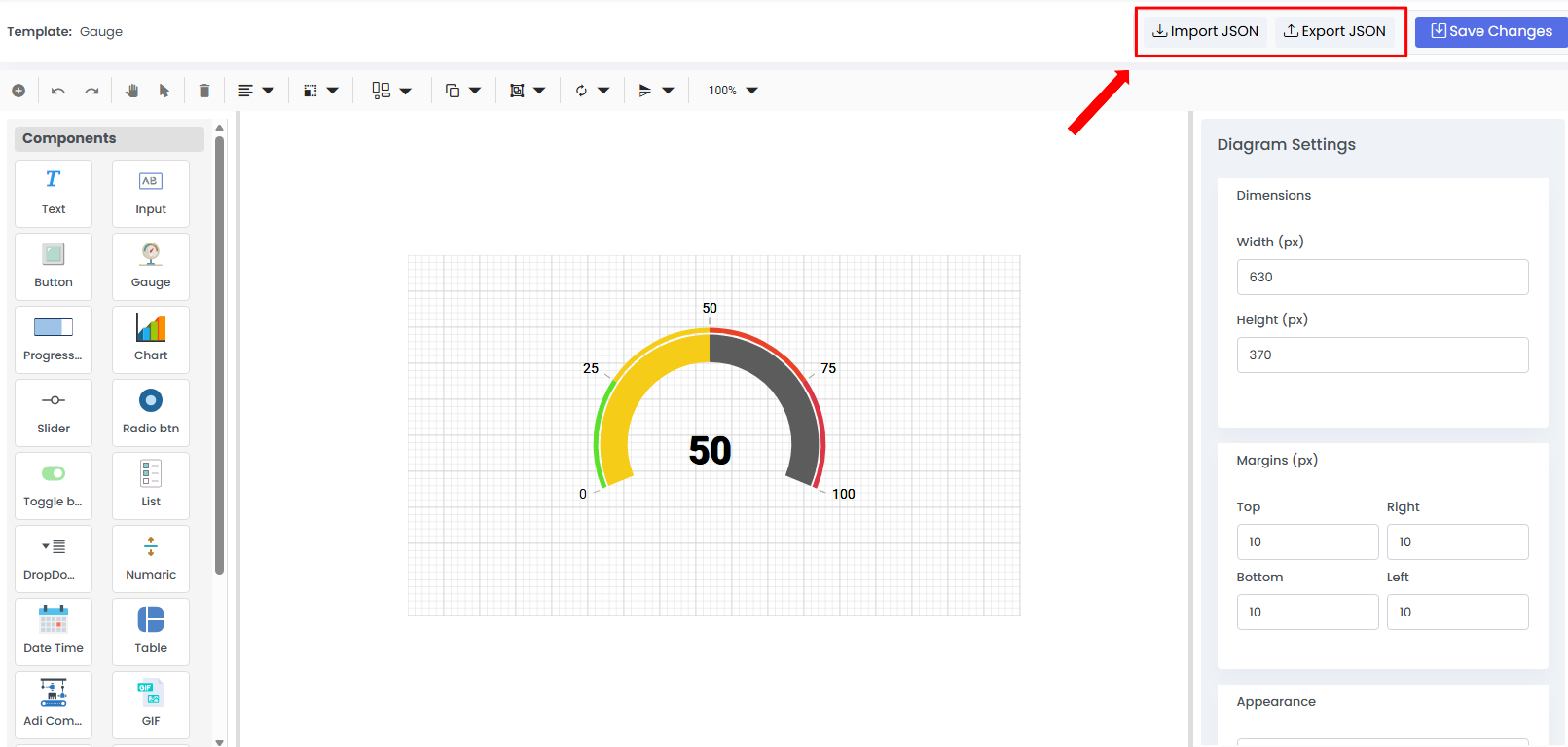
Designer Import & Export Functionality
The Designer now includes Import and Export capabilities that enable seamless transfer of dashboards, tiles, and template configurations between projects. This feature accelerates implementation, minimizes repetitive design work, and helps maintain uniform visualization standards across systems.
Modbus Routing
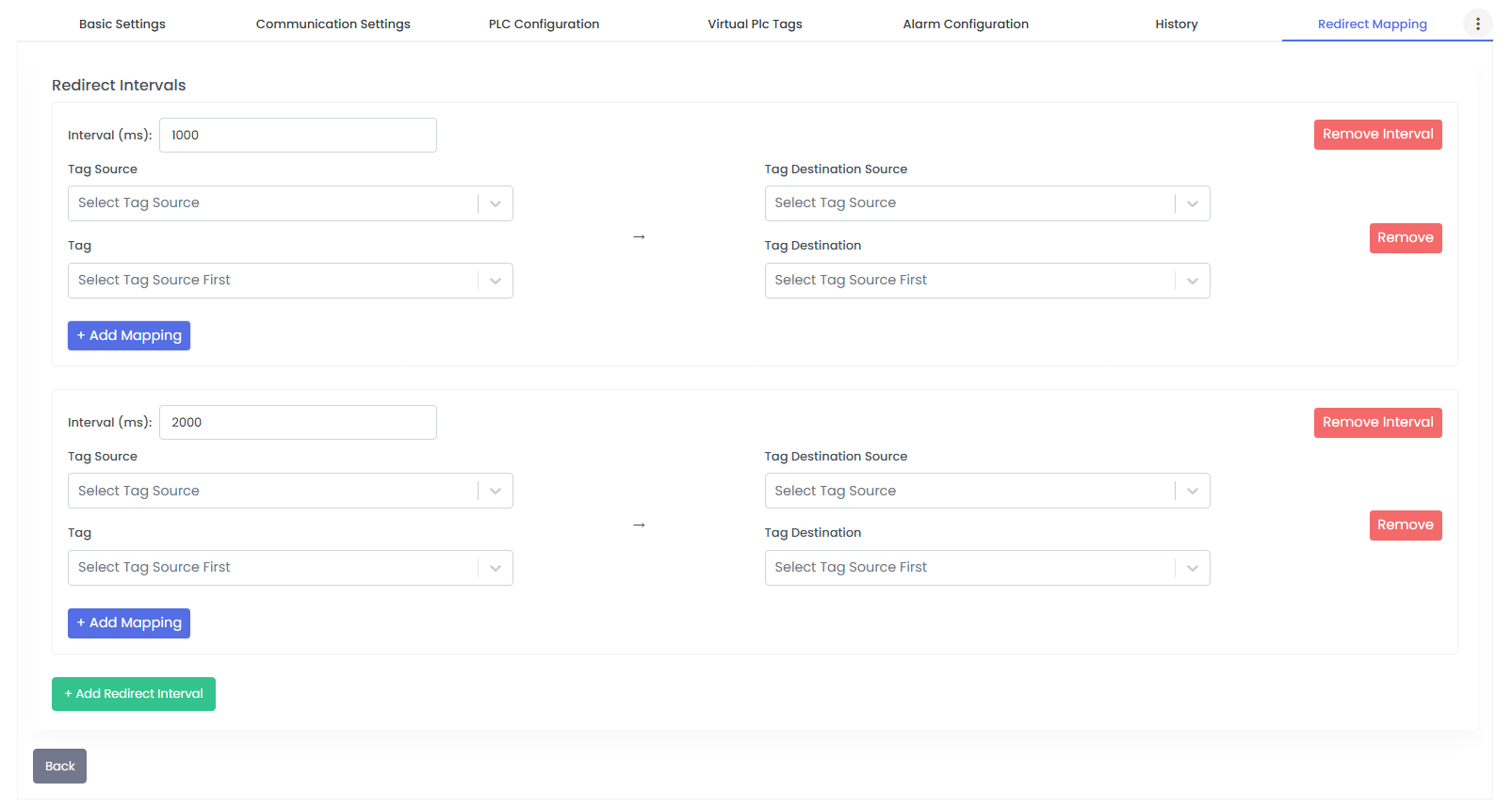
Modbus Routing facilitates efficient data communication between PLC-to-PLC and HMI-to-HMI systems through comprehensive cross-routing capabilities. It allows real-time redirection of PLC data within devices connected to a common gateway, eliminating the need for duplicate configurations while enhancing automation flexibility.
Gateway Replacement Without Data Loss
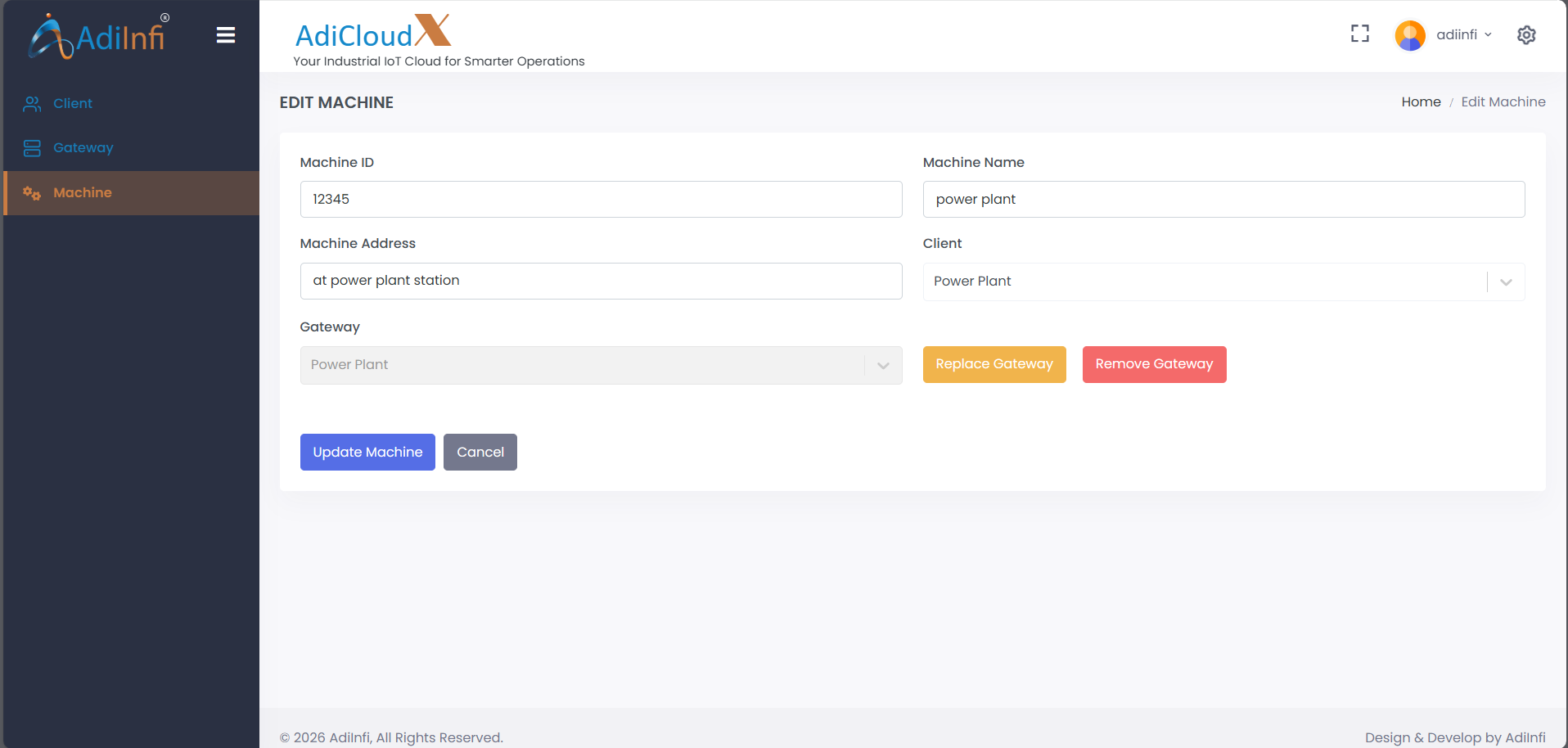
The system now enables seamless gateway replacement without any loss of configuration or historical data, ensuring uninterrupted operations. Users can safely remove a gateway while preserving its data temporarily, with the ability to restore full history once the gateway is reassigned.
Multi-Axis Charts in a Single Subplot
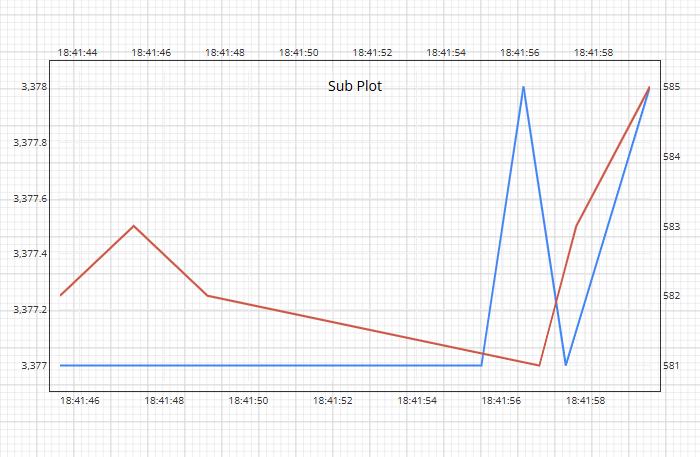
Chart components now allow multiple axes to be configured within a single subplot, making it easier to compare datasets with varying scales. This capability helps users interpret complex parameter relationships in one consolidated visualization, improving analytical clarity.
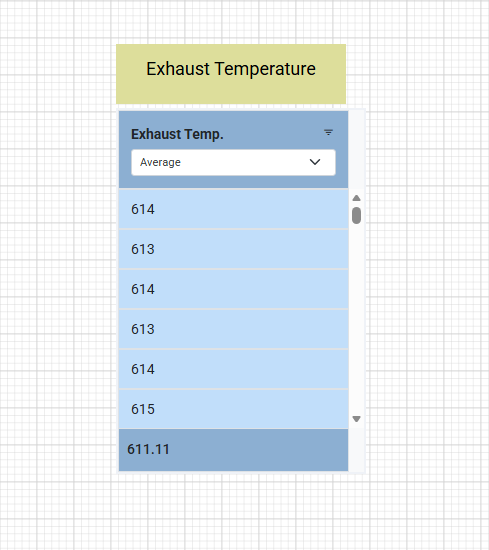
On Load Component Action
The On Load action enables components to automatically execute predefined logic as soon as they are initialized. This streamlines automation workflows by reducing manual steps and supports use cases such as default value setup, auto-calculations, and dynamic data loading.
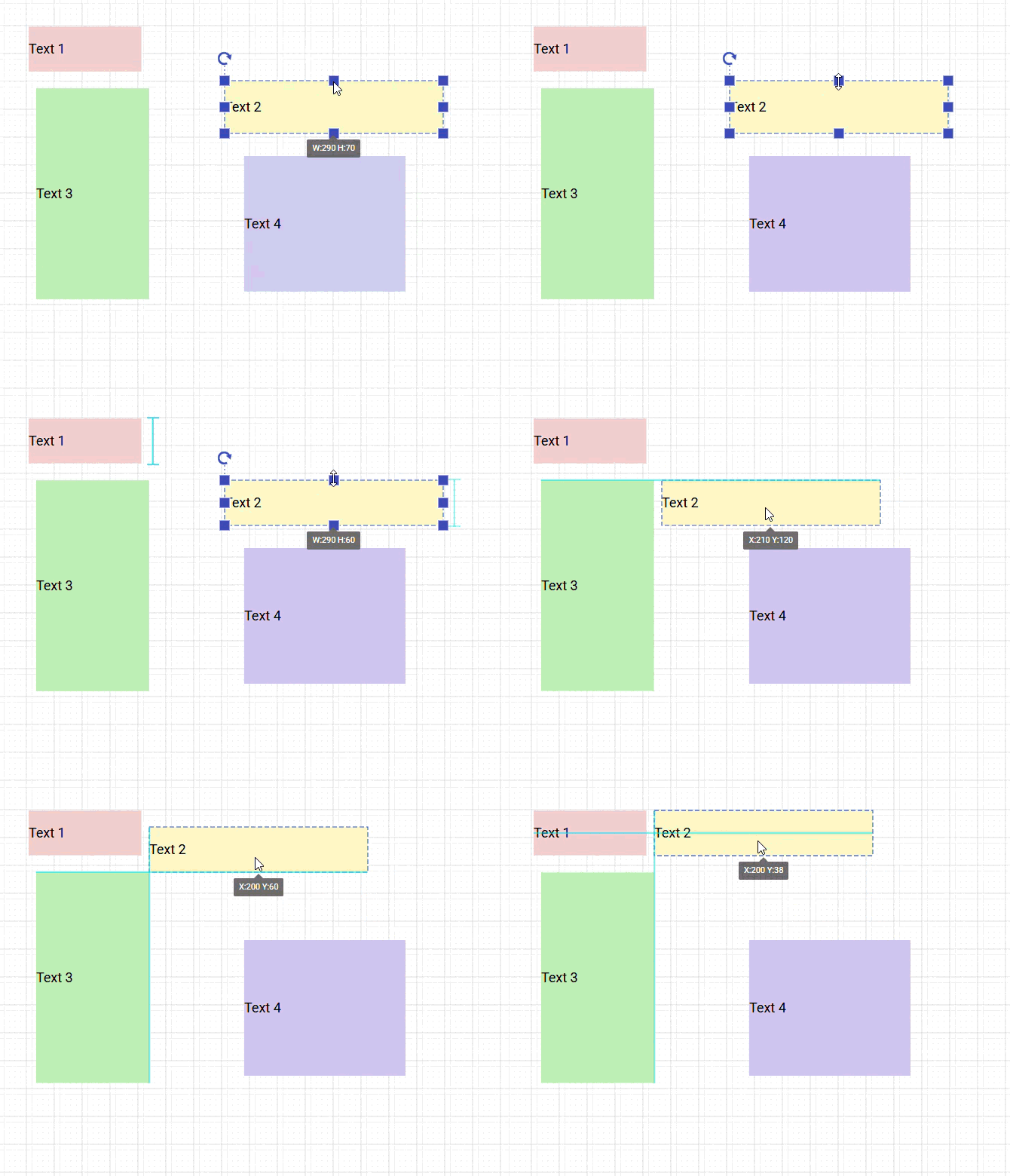
Grid Snapping & Alignment Support
Grid snapping and alignment tools have been introduced to enhance dashboard design precision. Components automatically lock into grid positions, enabling structured layouts, improving visual uniformity, and reducing manual adjustment effort.
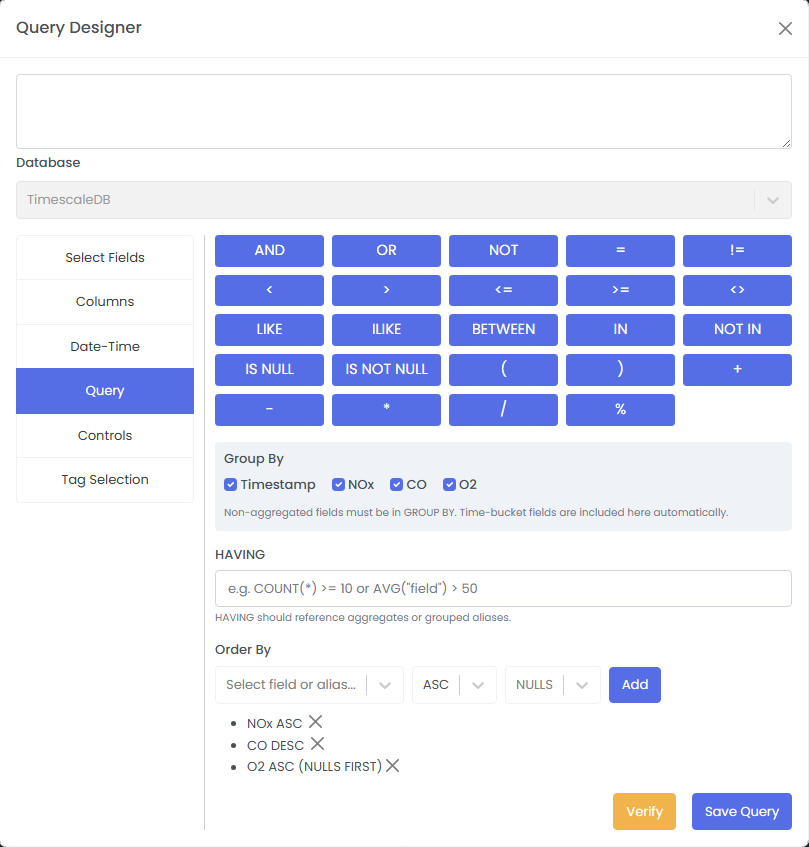
Historical Data Retrieval Enhancements (Query Designer)
Historical data retrieval within the Query Designer has been enhanced with advanced Group By and Order By capabilities. These improvements enable better data structuring, streamlined analysis, and more effective interpretation of large historical datasets.
Release Notes
Stay up to date with the latest features, improvements, and fixes in AdiCloudX
Platform-wide - V2.0.0
🟢New Features
- Introduced a new component to enhance real-time data visualization and improve overall user experience.
- Improved the login authorization system by adding an additional Company Authority layer, which can be enabled as per organizational requirements.
- Added Import/Export functionality to the Designer module, enabling reusable templates and tiles across multiple projects.
- Added support for real-time data redirection between PLCs connected to the same gateway.
- Enabled gateway replacement support for machines without any data loss.
🔵Fixes
- Improved alignment consistency across all components.
- Enhanced the Pie Chart component and updated chart layouts with new configuration options.
- Added multi-axis support for chart components.
- Improved report designer alignment and enhanced copy-paste functionality between diagrams.
Designer - V2.0.0
🟢New Features
- Added Linear Gauge and Digital Gauge components to the component library.
- Enabled Import/Export functionality across all designer modules to improve reusability between projects.
- Added multi-axis support for chart components within a single subplot.
- Introduced a new On Load action in the component action properties, allowing actions to be triggered when a component loads.
- Added snapping and grid support in the dashboard designer for improved alignment during dashboard creation.
🟡Improvements
- Improved overall component stability and introduced advanced styling options that can be dynamically configured at the tile level.
- Enhanced chart components with better multi-subplot handling, improved pie chart support, and more flexible legend and axis styling options.
- Added aggregation support to table components for date-time columns, with dynamic aggregation selection.
- Improved the ADI component library with enhanced components and added new components to support diverse industrial requirements.
- Added background image support for tiles and dashboards.
- Introduced component alignment, resizing, and distribution tools in the toolbar.
- Enhanced color configuration with new gradient color options across all component styling properties.
- Added layout properties for more precise component positioning and layout control.
- Enhanced ADI components to support JPEG and PNG images, enabling more dynamic and visually rich panel designs.
- Improved the Date/Time component with new custom and static selection options based on user requirements.
- Added new options for historical data retrieval, including group By and order By.
- Enhanced the report designer by adding support to suppress unused sections.
- Added a Report Field component to display dynamic page numbers and introduced additional styling options in the report designer.
- Improved report generation performance, especially for dynamically designed reports containing components such as charts, progress bars, and other visual elements.
🔵Fixes
- Component Copy/Paste: Fixed inconsistent behavior when duplicating components.
- Tab View Stability: Improved responsiveness and reliability during tab switching.
- UI Enhancements: Refined visual and structural elements for a more consistent and modern interface.
- Gauge UI Improvements: Fixed font sizing and stability issues in gauge components.
- Chart & Table Performance: Optimized rendering and performance when handling large datasets.
- Pie Chart Fixes: Resolved series mapping issues and real-time data update problems.
Runtime - V2.0.0
🟢New Features
- Added a new login authorization option (Company Authority) to enhance security for organizations with multi-level hierarchies.
🟡Improvements
- Enhanced configuration validation logic for more accurate and reliable validation.
🔵Fixes
- Improved configuration validation consistency and robustness.
- Enhanced sidebar layout and usability for smoother navigation.
- Improved tab view stability and overall performance.
- Applied consistent UI enhancements across runtime components to improve visual quality and stability.
Configurator - V2.0.0
🟢New Features
- Added the ability to remove a gateway from a machine with an option to retain gateway data temporarily. When the gateway is assigned to another machine, users are prompted to restore the retained data.
- Introduced gateway replacement support, allowing a gateway to be replaced with a new one while transferring all existing data without any data loss.
- Introduced Configuration Redirect Mapping, enabling seamless real-time data transfer between PLCs via the gateway.
- Added Intermediate Internal Tags with the following capabilities:
- Function Call Support: Use internal tags within custom functions.
- Date/Time Tag Support: Use date/time properties directly within internal tag configurations for dynamic logic.
🟡Improvements
- Improved configuration validation accuracy and reliability across configuration workflows.