Skip to content
BACnet/IP Tool BBMD
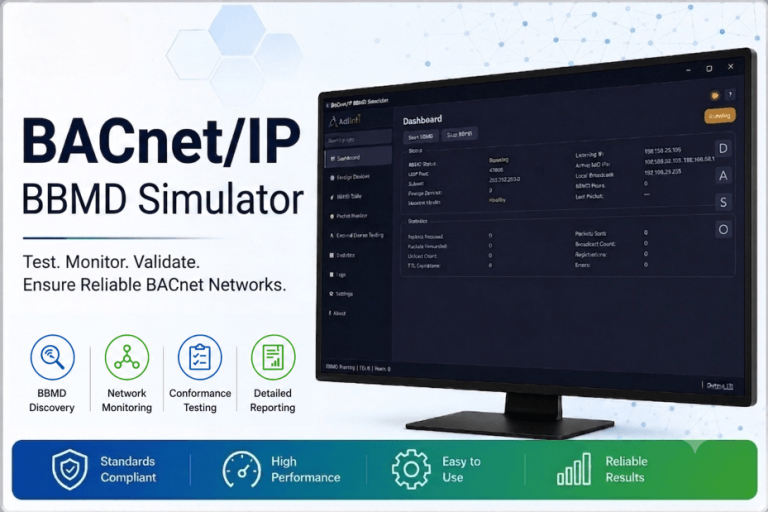
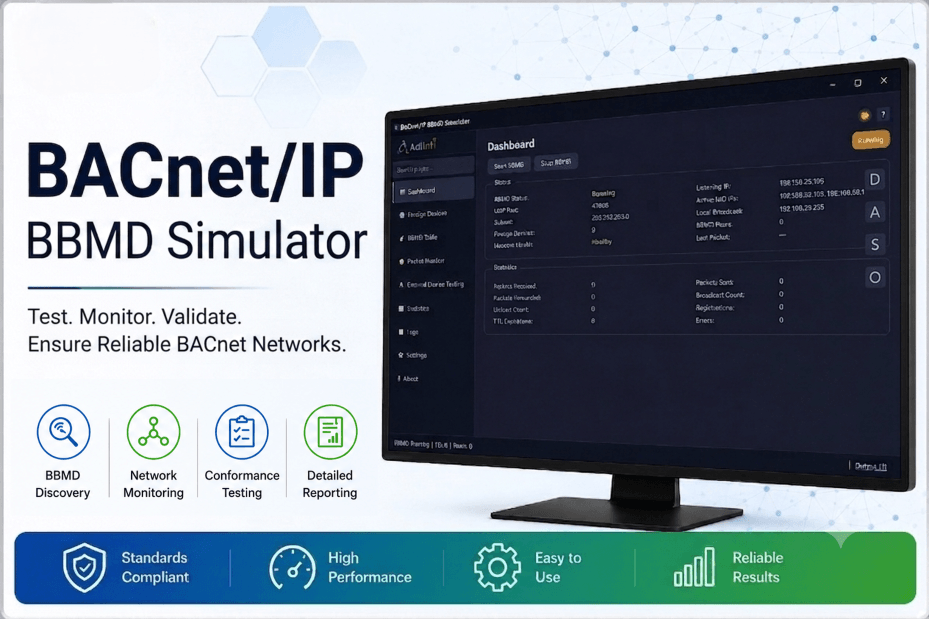
Advance BACnet/IP BBMD Router Simulator
A production-quality BACnet/IP Broadcast Management Device with an Annex J BVLC implementation, live Foreign Device and Broadcast Distribution tables, real-time packet monitoring, and a built-in interoperability lab that runs 19 automated conformance tests against any BACnet/IP device — with PASS/FAIL reports out the other end.
10
video lessons
~11 min
total runtime
Free
toolkit download

12
BVLC functions
19
Automated conformance tests
FDT+BDT
Live tables with TTL & peers
PDF
Exportable test reports
Inside the app
One BBMD, nine working views
The simulator runs a real BVLC/NPDU stack behind a desktop UI, so every table, chart, and log you see reflects what’s actually happening on the wire — not a mock-up of it.
Dashboard
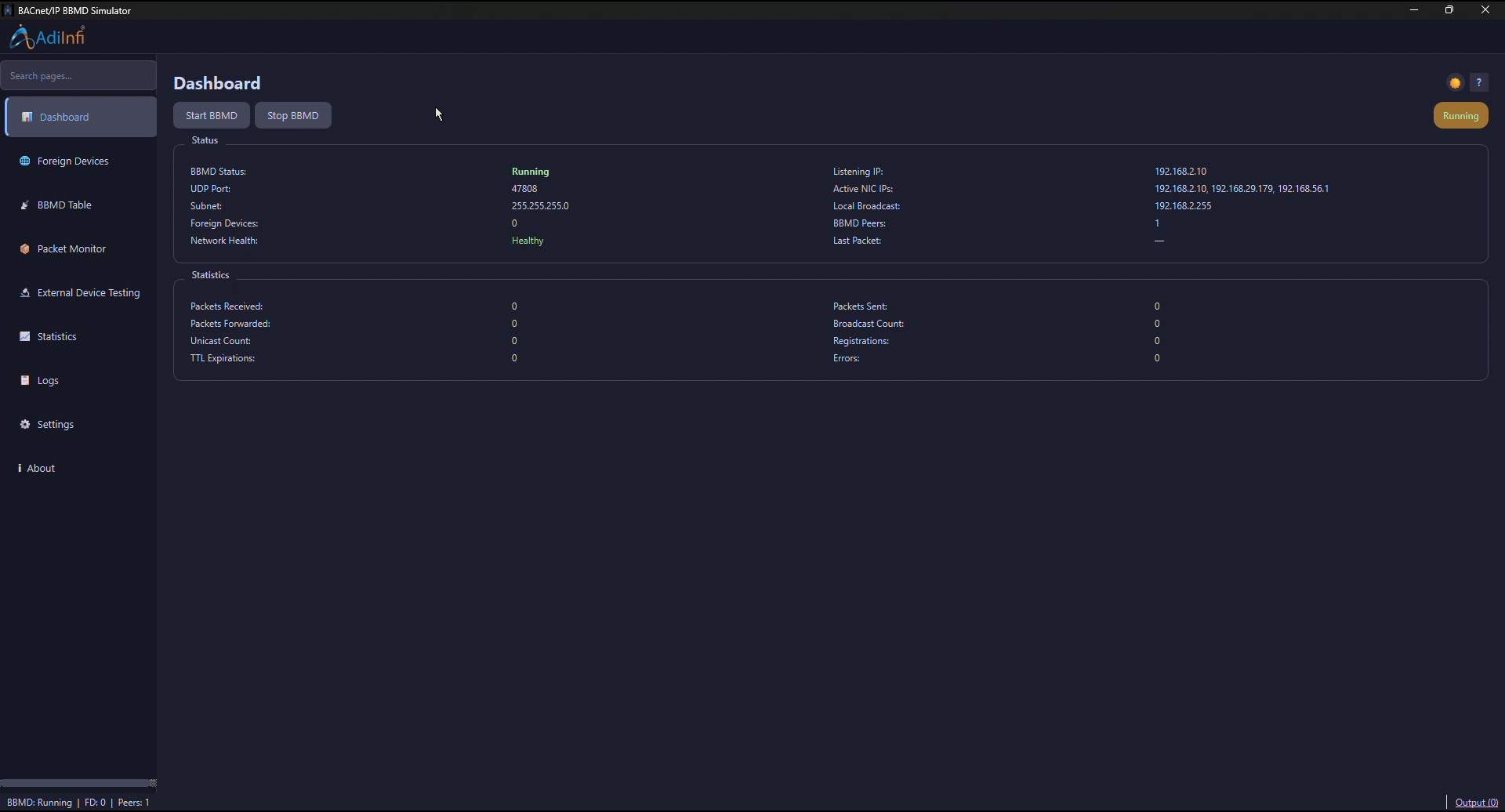
Start or stop the BBMD, watch its bound IP/subnet, and track live health alongside packet, broadcast, and registration counters.
Foreign Devices (FDT)
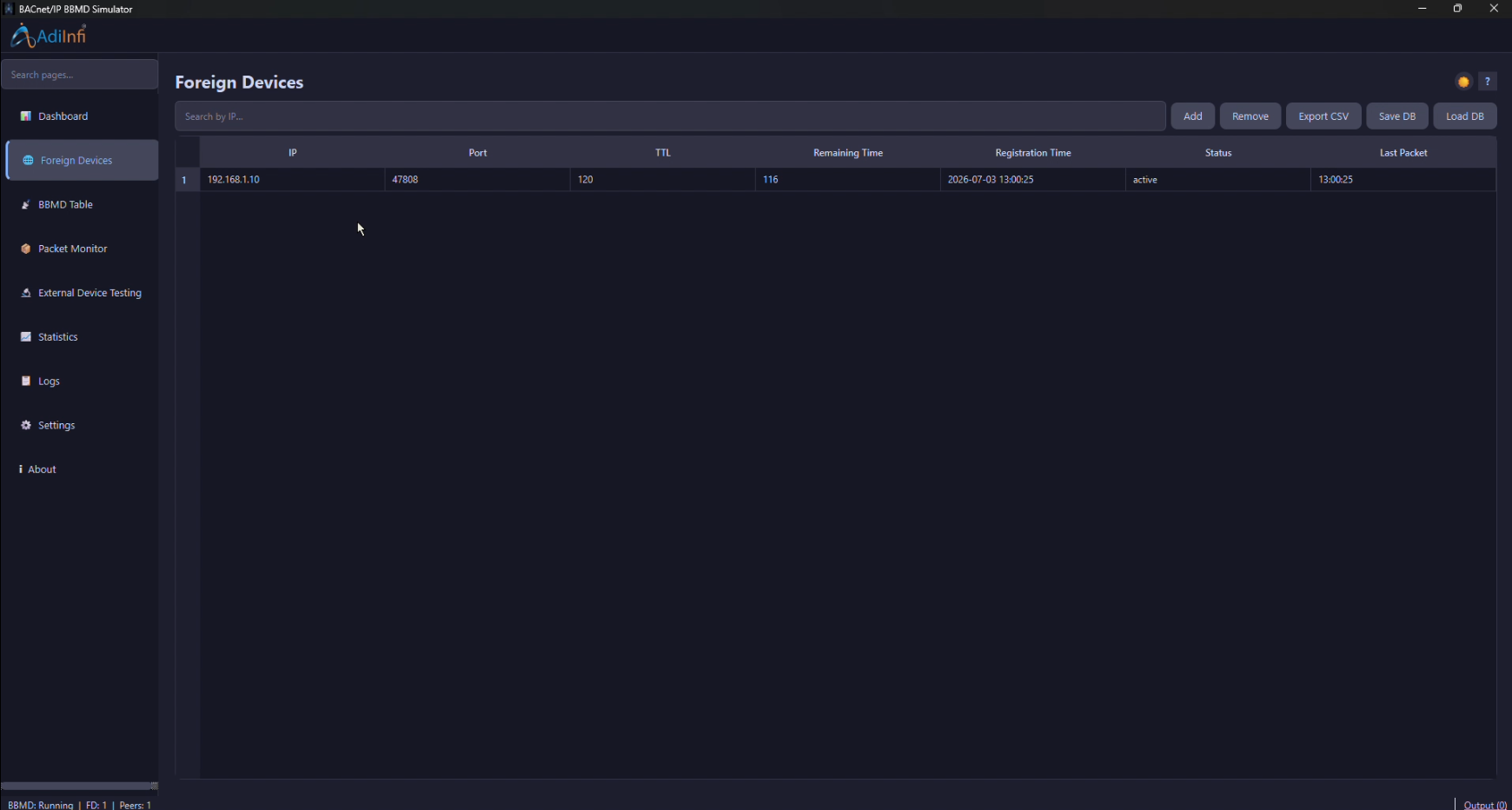
See every device registered with this BBMD — TTL, remaining time, registration time, and last packet — with search, CSV export, and DB save/load.
BBMD Table (BDT)
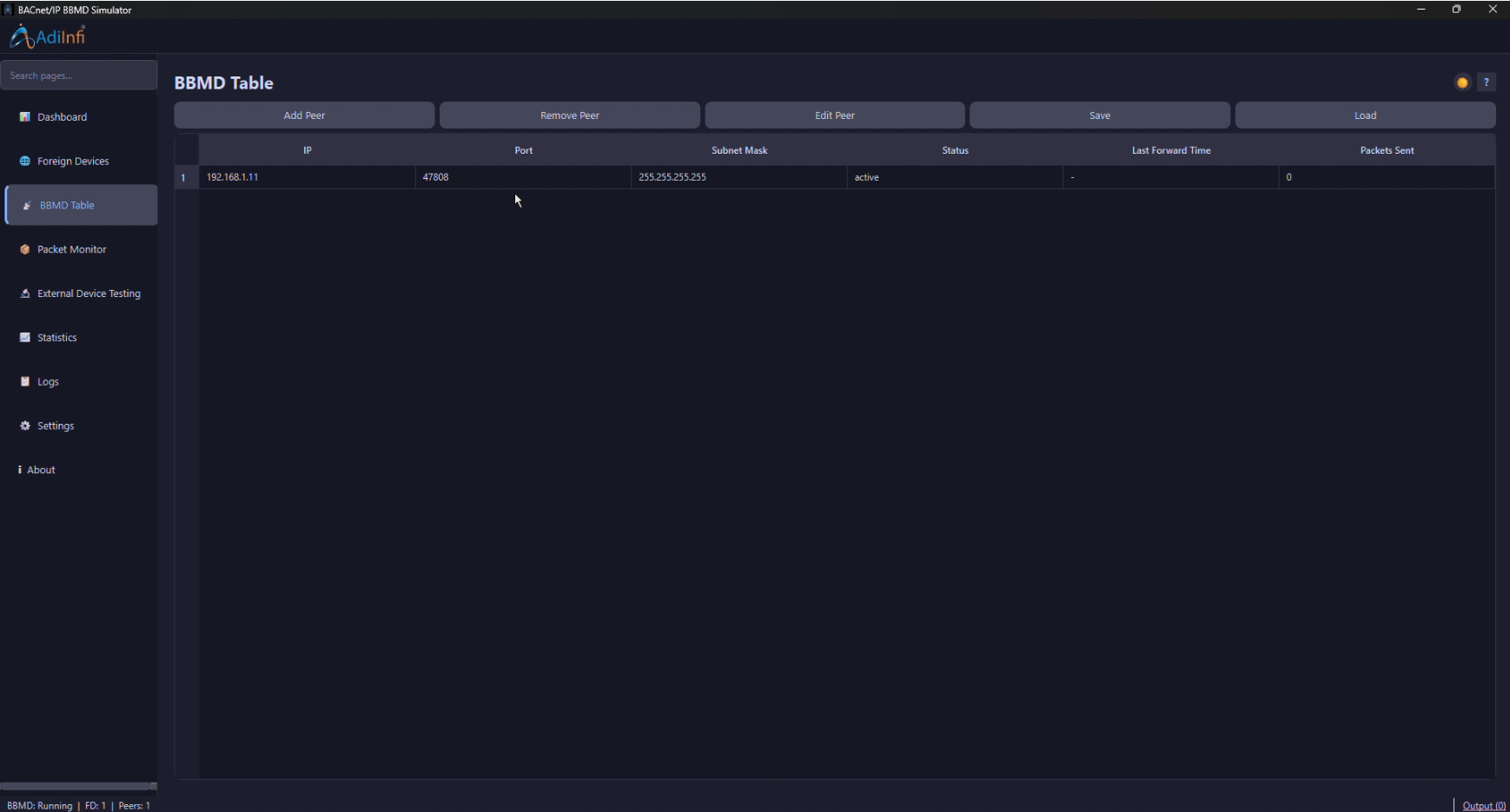
Manage peer BBMDs on other subnets — add, edit, or remove entries and persist the table so broadcasts reach every configured peer.
Packet Monitor
A live, color-coded feed of every BVLC/NPDU frame in and out, filterable by category and direction as it happens.
External Device Testing
An interoperability lab: connect to any BACnet/IP device, auto-discover with Who-Is, and run conformance tests with a visual packet-path trace.
Statistics
Rolling charts of packet and broadcast rate plus cumulative totals — incoming, outgoing, forwarded, registrations per hour.
Logs
Filterable, level-based application logs for every BBMD event, kept alongside the packet history for full traceability.
Settings
Network binding, application behavior, and dark/light theming, plus system tray integration for running the BBMD in the background.
Built-in Simulator
A packet simulator for generating BVLC traffic to stress-test the engine.
A closer look
Built for proving BBMD behavior, not just
running it
Three capabilities carry most of the value during interoperability testing. Here’s what each one actually does.
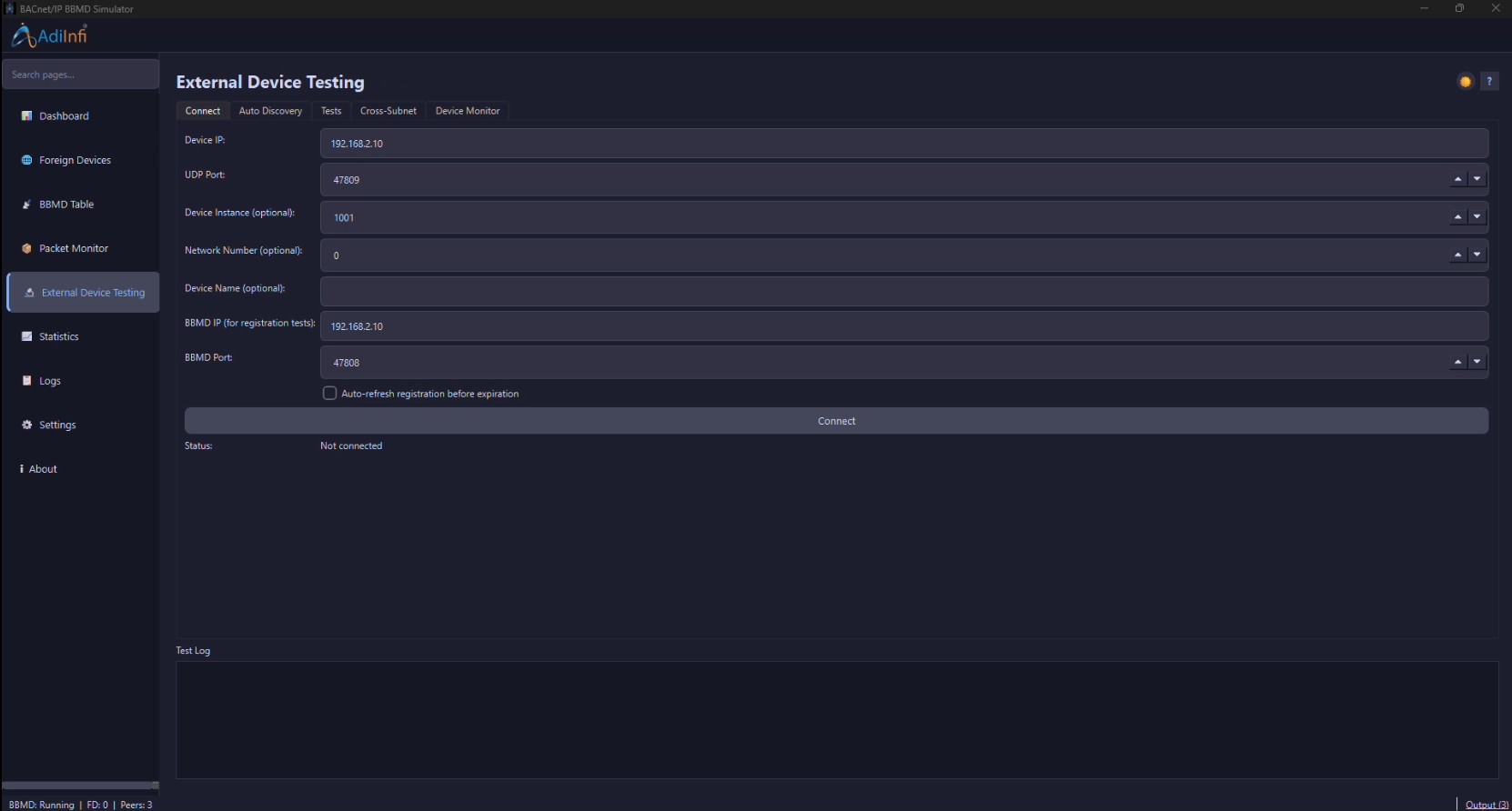
An interoperability lab for any BACnet/IP device
Connect to any standards-compliant device or simulator — YABE, BAC0, BACnet Stack, VTS, ESP32 gateways, PLCs, BMS controllers — with no vendor-specific code, and prove it behaves correctly against this BBMD.
- Connect by IP/port with optional device instance, network number, and device name
- Who-Is / I-Am auto-discovery builds a live device table with vendor and max-APDU details
- One-click Foreign Device Registration, BBMD Discovery, and Broadcast Forwarding tests with a visual packet-path trace
- Dedicated Cross-Subnet tab for testing registration and forwarding across a simulated gateway/subnet boundary
- Continuous Device Monitor tracks availability, response time, packet loss, and registration status over time
- “Run Production Tests” or “Run All Tests” — 19 automated protocol tests with a step-by-step PASS/FAIL log
- Exports PDF reports for commissioning evidence
The two tables that make BBMD forwarding work — kept live
The Foreign Device Table and Broadcast Distribution Table aren’t static config screens — they update in real time as devices register and TTLs count down.
- Foreign Device Table: IP, port, TTL, remaining time, registration time, status, and last packet per device
- A background TTL manager automatically expires and removes stale registrations
- Broadcast Distribution Table: IP, port, subnet mask, status, last forward time, and packets sent per peer
- Add, edit, and remove peers or foreign devices directly from the table toolbar
- Search/filter the Foreign Device Table by IP for large deployments
- Export the Foreign Device Table to CSV, or save/load the whole table set to/from SQLite
Watch the BBMD think, frame by frame
The Dashboard gives you the health of the service at a glance; the Packet Monitor shows you exactly what crossed the wire that produced it.
- Start/stop the BBMD listener from one button, with live status (running, listening IP, subnet, broadcast address)
- Traffic counters: packets received/sent/forwarded, broadcast vs unicast counts, registrations, TTL expirations, errors
- Network health indicator (healthy / warning / stopped) plus time of the last packet seen
- Packet Monitor streams every frame live, color-coded by category, filterable by category and TX/RX direction
- Statistics page adds rolling packets/sec and broadcast/sec charts plus registrations-per-hour
How it fits your bench
From cold start to a signed-off
interoperability report
01
Start the BBMD
Bind the listener on the Dashboard and confirm it’s healthy on your chosen subnet.
02
Add peers & devices
Configure BDT peers for cross-subnet forwarding, then let real devices register into the FDT.
03
Connect & discover
Point External Device Testing at your gateway or device and confirm it via Who-Is.
04
Run all tests
Execute the 19-test conformance suite and export an PDF report as evidence.
Watch & Learn
10-part video tutorial series
Follow in order for a full walkthrough, or jump straight to the module you need.
Welcome to the BACnet/IP BBMD Router Simulator
Take a quick tour of the simulator and discover what you’ll learn throughout this tutorial series.
Manage Foreign Devices and Configure Registration
Manage the Foreign Device Table and TTL Settings
Learn how to work with the Foreign Device Table and configure registration TTL settings.
Configure the BBMD Table and Manage BDT Entries
Learn how to add, configure, and manage peer BBMDs in the Broadcast Distribution Table (BDT).
Monitor Live BACnet/IP Packet Traffic
Connect Devices and Run the BACnet Test Suite
Test Cross-Subnet Communication and Live Monitoring
Learn how to test BACnet/IP message forwarding across subnets and monitor network activity in real time.
View Traffic Statistics and Performance Charts
Learn how to analyze traffic rate charts and cumulative statistics to monitor BACnet/IP network performance.
Filter Logs and Export Test Reports
Learn how to filter log output and export test reports for analysis and documentation.
Configure Settings and Troubleshoot Common Issues
Learn how to configure network settings, customize the interface, and resolve common application issues.
Free download
Request the BACnet/IP BBMD Simulator
Fill in your details and we’ll send the download link for the full application straight to your inbox — no cost, no obligation.
- J BVLC implementation with live FDT & BDT
- Real-time packet monitor and traffic statistics
- 19-test automated interoperability suite with PDF reports
- Works against any standards-compliant BACnet/IP device